

A website handover is the point at which control, knowledge and responsibility move from the delivery team to the business that commissioned the work. It should not be treated as a final download link or a folder of passwords.
Before approving the project, confirm that the business can operate, maintain, measure and recover the website without depending on undocumented knowledge held by one developer or agency. The exact handover will vary by platform and contract, but every required item should be identified, transferred and tested.
This website handover checklist separates receipt from verification. Having a login is not the same as controlling the account. Receiving a backup is not the same as knowing that it can be restored.
1. Confirm Ownership and Administrative Control

Begin with the systems that determine whether the website remains accessible. Wherever possible, important business accounts should be owned by the business rather than tied permanently to an individual contractor’s email address.
Confirm control of:
- The domain registrar account
- DNS and content delivery network settings
- Website hosting and server administration
- The content management system
- Source-code repositories
- Business email services connected to the domain
- Analytics, tag management and search accounts
- Form, payment, booking, email and customer-management integrations
- Premium themes, plugins, fonts and other licensed assets
For each system, record the account owner, administrative users, billing contact, renewal date and recovery method. Check that the business can reset access without relying on the outgoing provider.
Do not collect shared passwords in an ordinary spreadsheet or email thread. Use account invitations, role-based access or an ownership-transfer process where the platform supports one. Store any credentials that must be retained in an approved password manager, then rotate temporary or previously shared credentials after the transfer.
If the supplier was selected recently, compare the delivered ownership arrangements with the answers recorded when you were deciding how to choose a web development agency.
2. Receive the Source Code and Working Files

The live website alone may not contain everything needed to maintain or rebuild the project. Request the source material defined in the agreement, not only an exported copy of the public pages.
Depending on the project, the handover may include:
- The complete source-code repository and its history
- The version or commit currently deployed to production
- Build and deployment instructions
- Dependency and runtime requirements
- Configuration templates without exposed secrets
- Database schema and migration files
- Editable design files and approved brand assets
- Original image, icon and font files that the business is licensed to use
- Custom plugin, theme, module or integration code
- Documentation for third-party libraries and services
Open the repository and confirm that an authorized business account has the required role. If repository ownership must change, use the platform’s formal transfer process rather than treating a downloaded archive as an equivalent replacement. GitHub, for example, documents repository transfers separately from collaborator access and requires appropriate administrative permissions.
Also identify anything that cannot be transferred. A font license, stock image subscription, developer account or commercial plugin may remain subject to the original provider’s terms. Record the limitation and the action required before assuming that continued use is permitted.
3. Document Hosting, Deployment and Recovery
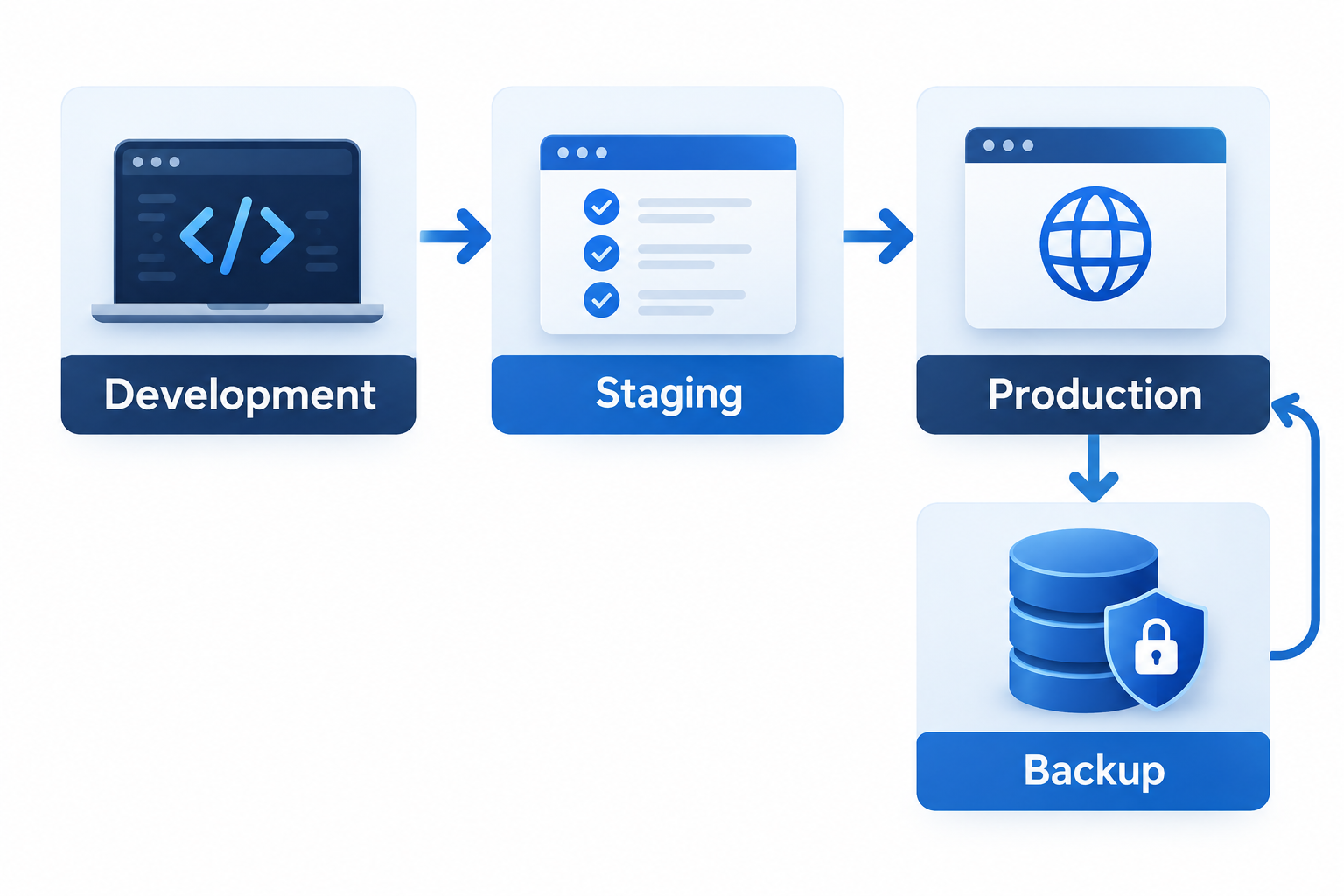
A future developer should be able to understand how a change reaches the live website without reverse-engineering the setup.
The technical handover should describe:
- Production, staging and development environments
- Hosting provider, plan and responsible account
- Runtime, framework and database versions
- Deployment method and required approvals
- Environment variables and where secrets are managed
- Scheduled jobs, queues and background processes
- Caching, firewall and content delivery settings
- Logging, uptime monitoring and alert recipients
- Rollback procedure for a failed release
- Backup location, frequency, retention and responsible party
Do not accept “backups are enabled” as the complete recovery plan. Confirm what is backed up, how long copies are retained, who can access them and how restoration would work. Where the scope includes recovery testing, record the date and result of the most recent test. Never test a destructive restore on the production environment without an approved plan.
4. Verify CMS and Content Administration
The business should receive an administrative account that it controls. Individual editors can then receive only the access required for their roles.
Check that authorized users can:
- Create, edit, preview and publish content as agreed
- Manage navigation, reusable sections and media
- Review form submissions or confirm where they are delivered
- Update SEO fields where the platform provides them
- Manage redirects or request them through a documented process
- Add and remove users with appropriate permissions
- Identify custom fields, templates and page-building restrictions
Request a short content-administration guide when the interface or publishing process is customized. The guide should explain the actual workflow, not reproduce generic platform documentation.
Content requirements that remain unfinished should stay in the project issue list. An approved website content brief can help distinguish missing information from a technical publishing problem.
5. Protect Search Visibility During Handover
Search settings deserve a separate check because a visually complete website can still launch with technical instructions that limit discovery.
Verify the production website’s:
- Preferred HTTPS and hostname version
- Canonical signals on important page types
- Robots directives and robots.txt behavior
- XML sitemap location and contents
- Redirects from replaced or removed URLs
- Page titles, descriptions and heading structure
- Structured data that accurately represents visible content
- Internal links to priority pages
- Search Console ownership and user access
- Analytics and conversion tracking implementation
Temporary staging controls should not remain on pages intended to appear in search. At the same time, do not remove deliberate noindex or nofollow instructions without understanding why they exist.
If the project changed URLs, templates, navigation or content at scale, use the broader website redesign SEO checklist before treating the handover as complete.
Google Search Console distinguishes owners, full users and restricted users. Confirm that the business has a verified Search Console owner, review all other users and owners under Search Console users and permissions, and remove former owners’ verification methods where appropriate.
6. Transfer Analytics and Third-Party Services
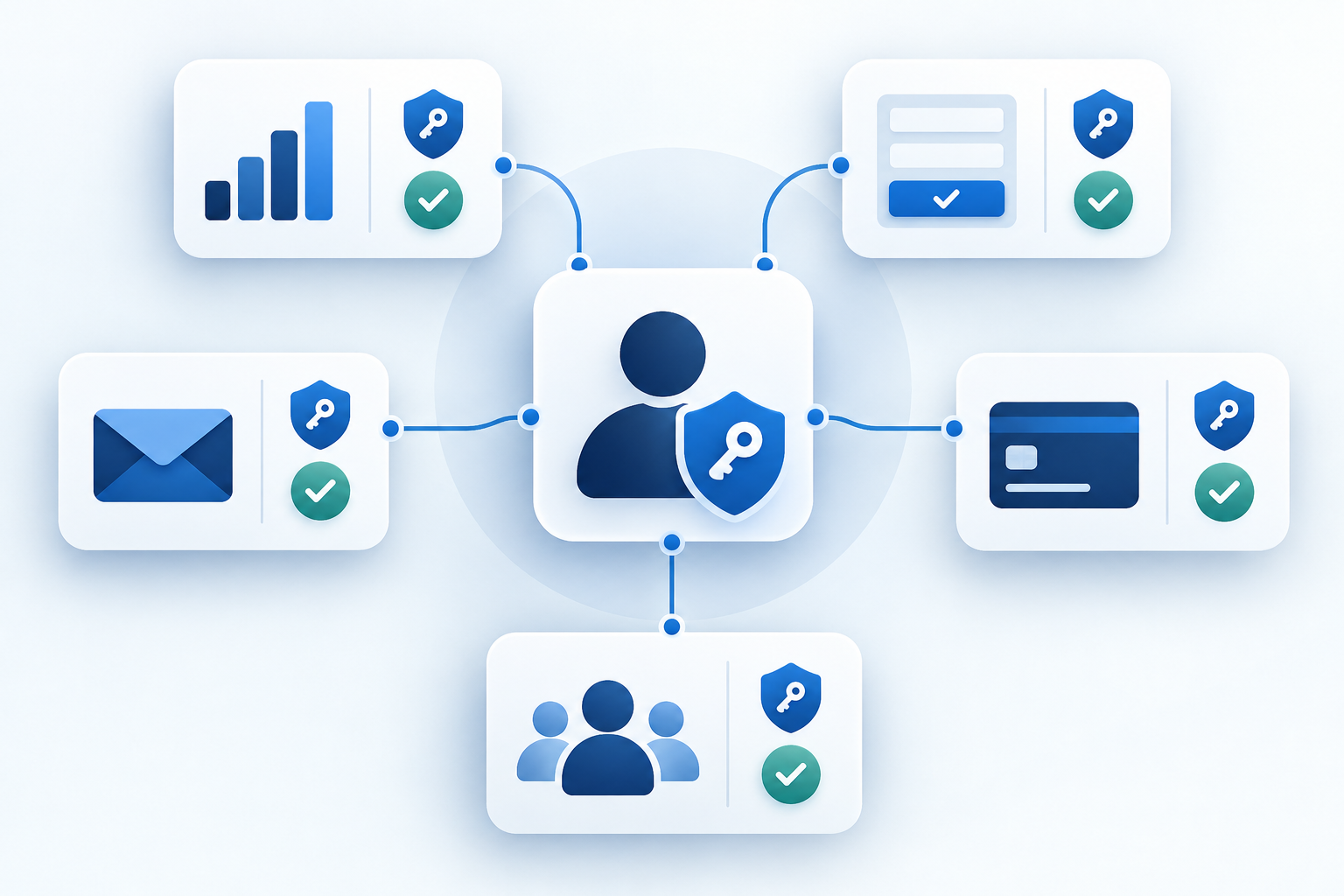
Create an integration register rather than relying on a list of logos or plugin names. For every connected service, record:
- Its purpose
- Account owner and administrative users
- Billing owner and renewal terms
- Website pages or processes that depend on it
- Data sent or received
- Required keys, webhooks or configuration
- The test used to confirm that it works
- The person responsible after handover
Common integrations include analytics, tag management, advertising platforms, consent tools, payment processors, customer-management systems, booking services, transactional email, newsletters, maps, search tools and live chat.
Confirm access at the correct level. Being able to view a report does not necessarily provide authority to manage users or settings. Google Analytics, for example, assigns different roles and requires an Administrator role to manage access; its official access-management guidance explains those distinctions.
Submit a test form, transaction or other agreed event and verify the complete path. A successful on-screen message does not prove that the notification, CRM record, payment status or analytics event reached its destination.
7. Close Security and Privacy Gaps
The handover should reduce unnecessary access rather than preserve every account created during development.
Before sign-off:
- Remove or downgrade accounts that no longer require access
- Replace shared administrator accounts with named users where practical
- Enable multi-factor authentication where supported
- Rotate temporary credentials, API keys and deployment secrets
- Confirm software update and vulnerability-response responsibilities
- Record firewall, security-monitoring and alerting arrangements
- Identify where personal information is collected and sent
- Confirm who receives privacy, security and service notifications
- Document any unresolved security issue and its owner
Secrets should not be hard-coded into the repository or copied into ordinary handover documents. The OWASP Secrets Management Cheat Sheet provides implementation guidance, while the specific hosting and development platforms should remain the source for their current configuration steps.
Privacy and regulatory requirements depend on the business, users, data and jurisdictions involved. A technical handover can document the implemented settings, but it should not present an unverified configuration as legal compliance.
8. Test the Delivered Website Against the Agreed Scope
Complete acceptance testing in the environment defined by the project agreement, then perform a limited production smoke test after launch. Do not run destructive, load or security testing on the live website unless it has been explicitly planned and controlled.
The review may include:
- Priority pages and navigation routes
- Mobile, tablet and desktop layouts
- Forms, validation and notification delivery
- Search, filtering, login or account functions
- Checkout, booking or payment flows
- Downloads and gated resources
- Error pages and broken links
- Redirects and canonical destinations
- Analytics and agreed conversion events
- Keyboard use, labels, focus behavior and alternative text
- Page loading and template-level performance
- HTTPS, mixed-content and certificate behavior
- Backup and rollback arrangements
Use test accounts and sandbox modes where available, and confirm how test transactions or records will be removed.
Record the browser, device, environment and test result where that context matters. Screenshots can document a result, but they should not replace a reproducible test or an issue record.
Separate defects from new requests. A feature that was never included in the approved scope should not be silently treated as a failed deliverable, while an agreed function that does not work should not be hidden inside a future enhancement list.
9. Receive Documentation, Training and Support Terms
Documentation should match the people who will operate the website. A content team may need publishing instructions; an internal developer may need architecture, deployment and dependency notes.
Request the applicable items:
- Website administration guide
- Architecture or component overview
- Deployment and rollback runbook
- Integration register
- Backup and recovery instructions
- User and permission register
- License and renewal schedule
- Known limitations and outstanding issues
- Training recording or session notes
- Support contact and escalation route
Confirm what happens after sign-off. Record the support period, including bug fixes, maintenance responsibilities, response arrangements and how new work will be estimated. Avoid vague promises such as “ongoing support” unless the scope, duration and responsible party are defined.
10. Use a Verification-Based Sign-Off Record
A useful sign-off document does more than state that the website is complete. It records what was checked, what remains open and who accepted each decision.
Classify every required item as:
| Status | Meaning |
| Received | The file, account or document has been supplied but not fully tested. |
| Verified | Access or functionality has been checked by an authorized person. |
| Outstanding | An action, decision or correction remains open, with an owner and due date. |
| Not applicable | The item is outside the agreed project and the reason is recorded. |
Before final approval, confirm that unresolved items are visible and do not prevent safe operation. Sign-off should follow the payment and acceptance terms in the contract; the checklist does not replace those terms or legal advice.

Copy-and-Paste Website Handover Checklist
Ownership and access
- Domain registrar ownership confirmed
- DNS and CDN access confirmed
- Hosting ownership and billing confirmed
- CMS administrator access verified
- Recovery methods use current business-controlled details
- Unnecessary supplier access removed; any continuing access documented with its purpose and owner
Files and infrastructure
- Source repository and deployed version received
- Design and licensed asset files received where included
- Build and deployment instructions reviewed
- Hosting environments documented
- Backup scope, retention and restoration process documented
- Rollback procedure recorded
Search and measurement
- Production indexability reviewed
- Redirects and canonical signals checked
- XML sitemap location recorded
- Search Console ownership confirmed
- Analytics and agreed conversion events tested
- Third-party integrations recorded and tested
Security and operation
- Temporary and previously shared credentials rotated where applicable; remaining secret rotations recorded with an owner and due date
- Multi-factor authentication enabled where supported
- Update and monitoring responsibilities assigned
- Forms and important user journeys tested
- Known issues recorded with owners and due dates
- Training and operational documentation received
- Post-launch support terms confirmed
- Final sign-off record approved by authorized parties
Frequently Asked Questions
Should a website handover include every password?
Not necessarily. Account invitations, ownership transfers and role-based permissions are often preferable to sharing passwords. Where a credential must be transferred, use an approved secure method and rotate it when appropriate.
Is a website backup enough for handover?
No. A backup may omit source history, deployment instructions, licenses, account ownership, integrations and operational knowledge. It is useful only when its contents, storage and restoration process are understood.
Who should own the domain and hosting accounts?
Ownership should follow the project agreement and the business’s operating model. For most client projects, business-controlled accounts reduce dependence on a single supplier, while providers can receive the access needed to perform agreed work.
When is a website ready for sign-off?
It is ready when the agreed scope has been delivered, required access and documentation have been verified, acceptance tests are complete and any outstanding items are formally recorded. Payment and legal acceptance should follow the applicable contract.
Make the Website Operable Without Hidden Dependencies
A successful handover gives the business practical control of the website and a reliable record of how it works. The objective is not to collect the largest possible folder. It is to confirm ownership, preserve the materials needed for maintenance, test critical processes and make unresolved responsibilities visible.
Businesses can use this checklist internally or include its relevant requirements in a project brief. Where development support is needed, Glorvix web development can be discussed against a defined scope, ownership model and handover requirement.