
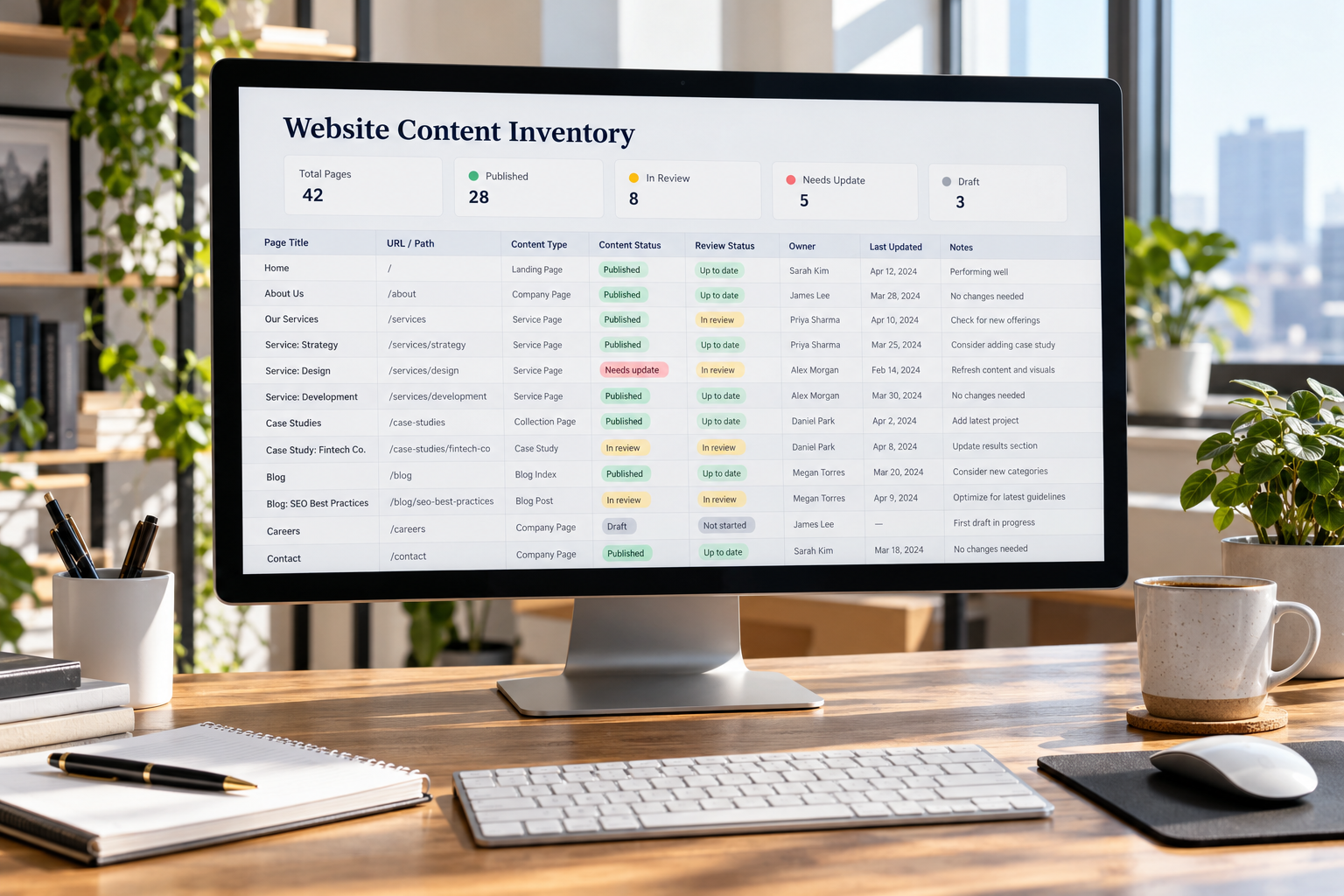
A website content inventory records what a business has published, where that information lives and who is responsible for checking it. Add review findings and assigned actions, and the same document becomes a working queue for correcting outdated information, resolving overlap and maintaining important pages.
Start with the pages and files within the scope of your review. Record their addresses, identify their purpose and check the information against the business’s current operations. Where a decision needs more evidence, leave it open with a named person responsible for investigating it.
The website content inventory template below separates the page register from the review queue. This keeps basic page information easy to scan while giving changes enough detail to be carried out and verified.
Copy-and-Paste Website Content Inventory Template
Create two tabs in a spreadsheet: Page Register and Review Queue. Use the same record ID in both tabs so findings remain connected to the correct page.
Before adding rows, record:
- Website or section covered: [Domain, subdomain or defined section]
- Inventory coordinator: [Person maintaining the document]
- Inventory started: [Date]
- Sources checked: [Content-system export, sitemap, crawl or other records]
- Known omissions: [Areas or assets not yet covered]
These details describe the boundaries of the inventory. A register covering one service section should not be presented as a complete record of the website.
Tab 1: Page Register
Use one row for each page or asset within the agreed scope. Create the following columns in the Page Register:
| Column | What to enter |
|---|---|
| Record ID | A unique identifier that remains unchanged if the title or address changes |
| URL or asset location | The full published address, or an internal location for unpublished material |
| Publication status | Published or unpublished; distinguish drafts from retired material where needed |
| Current title | The existing title, rather than a proposed replacement |
| Content type | A consistent label, such as service page, article or document |
| Visitor task | What someone should understand, decide or do using this content |
| Content owner | The person or accountable role responsible for confirming the information and authorizing corrections |
| Review status | Not reviewed; review in progress; reviewed—no changes needed; or reviewed—action required |
| Last reviewed | The date the recorded assessment was completed |
| Reviewed by | The person who completed that assessment |
| Next review trigger | An agreed review date, business change or other event requiring another check |
If ownership is unresolved, enter Owner to be assigned and identify who will resolve that gap. A department name alone may be insufficient when nobody in that department has accepted responsibility.
Keep publication status separate from review status. A published page may still be awaiting review, while an unpublished draft may already have been assessed.
Tab 2: Review Queue
Create a separate row for each issue that needs its own action or verification. Copy the matching Page Register ID into each related row.
| Column | What to enter |
|---|---|
| Record ID | The identifier of the affected page or asset |
| Finding and evidence | The observed issue and the information supporting it |
| Proposed action | A specific correction, investigation or other next step |
| Assigned to | The person responsible for moving that action forward |
| Due date | The agreed completion date |
| Workflow status | The current stage of investigation, approval or implementation |
| Verified by | The person who checked the completed work |
| Verification date | The date the result was checked |
| Verification result or evidence | What passed, what remains unresolved and where supporting evidence is recorded |
Use workflow statuses consistently:
- Needs confirmation: A question must be answered before a change can be approved.
- Approved for action: The work has been authorized.
- In progress: The work is being carried out.
- Ready to verify: The change has been made and needs checking.
- Closed: The agreed check has passed and its result has been recorded.
Complete the verification fields before marking an action closed. Record the page’s next review trigger in the Page Register. If a page has several open findings, keep its review status as Reviewed—action required until those findings have been resolved or an authorized decision has been documented.
Keep findings specific. Identify the affected information, explain what conflicts with it and name the person or source needed to resolve the issue. A note such as “improve this page” does not give the next contributor enough direction.
Understand What the Inventory Is For
An inventory identifies the content being managed. An audit evaluates that content and produces decisions about it.
The University of Georgia’s guidance on analyzing web content makes this distinction between compiling the inventory and assessing the material it contains.
For a business website, keep three kinds of information separate:
| Information | What it establishes |
|---|---|
| Page record | What exists and where it is located |
| Review finding | What was checked and what requires attention |
| Approved action | What has been authorized to change |
This separation prevents an observation from being mistaken for an approved instruction. Identifying two similar pages should lead to a comparison before either page is removed.
The inventory also supports the wider business content strategy. It supplies evidence about existing material; the strategy determines which audiences, services and information needs deserve continued investment.
Build the Register From More Than One Source
Use the records available for the website rather than treating one list as complete. Depending on access and scope, check:
- Published and unpublished content in the content management system.
- The XML sitemap.
- A crawl of publicly accessible pages.
- Navigation, footer links and links within page content.
- Landing-page records in the available analytics system.
- Destinations used in active campaigns.
- Documents and downloads linked from the website.
- Additional page or asset records maintained by service owners.
Record when each list was collected. If access to a source is unavailable, note the omission.
Tulane University’s website content audit guidance recommends using several sources to assemble an inventory and explains that a sitemap may omit material requiring review, including unpublished content.
Combine the lists, remove exact duplicate entries and retain the source information needed to trace uncertain records. Avoid placing passwords, customer submissions or other sensitive information in a broadly shared inventory. Record an authorized reference location instead.
Keep Address Variations Visible Until They Are Understood
Different addresses should not automatically be treated as interchangeable. A URL parameter may record a campaign, select a product variation or change the displayed content.
Keep uncertain variations available for technical review before excluding them from the register or recommending consolidation. If an address is expected to change, record the current address and proposed destination in separate fields. Do not overwrite the original address before the move has been implemented and checked.
Include Files and Pages Outside the Main Navigation
Define whether the inventory includes service and product pages, articles, campaign destinations, contact and support information, policy pages, public forms, brochures and archives. Record any excluded sections in the inventory notes.
Give important downloads their own records when they have separate ownership or review requirements. Identify the pages linking to them so related changes can be coordinated.
If a page and its linked PDF contain conflicting information, record both assets and assign responsibility for resolving the conflict. Updating one destination does not correct the other.
Keep unpublished material visibly separate from public content. Its internal location belongs in the register only when the review includes drafts, archived material or planned replacements.
Review the Information Before Choosing an Action
Open each destination being assessed. Review the page itself, important linked materials and the next step it offers. A title or spreadsheet export cannot establish whether the published information remains accurate.
Confirm the Page’s Job
Describe the specific task the page supports. A service page might help a visitor determine whether an offering fits their requirements. A support page might explain a procedure. A policy page may remain necessary even when recorded visits are low.
If the purpose is uncertain, assign an investigation. Do not invent a new audience or business justification merely to complete the spreadsheet.
Check Facts With the Appropriate Owner
Review statements that depend on current business information, including:
- Service scope and exclusions.
- Geographic coverage.
- Prices, offers and restrictions.
- Contact details and operating hours.
- Staff names and responsibilities.
- Product availability and specifications.
- Instructions involving software or third-party platforms.
- Research, credentials and other supporting claims.
Record the source and date used to confirm an important statement. If specialist approval is required, keep the question open until an appropriate reviewer has checked it. The person confirming accuracy may be different from the person editing or publishing the page.
Compare Overlapping Pages
Group pages by the task they support, then compare the actual information they provide. Different titles do not establish different purposes. A shared subject does not automatically make two pages redundant either.
Check whether the audience, detail or decision being supported differs enough to justify separate pages. Record what needs to be preserved before recommending a combined destination.
Use Performance Data With Its Context Attached
Add performance information when it helps answer a review question. Record the system, date range, metric definition, filters and known gaps alongside the figures.
Mark unavailable data as unavailable rather than entering zero. A recently published page and a page with a full year of data should not be compared as though their measurement periods were equivalent.
Consider recorded use alongside accuracy, business purpose and audience needs. A page may serve customers or staff through direct links, and incomplete measurement may limit what the available figures establish. Record those limits before recommending removal.
Make the Decision Specific Enough to Implement
Use a small set of decisions, with enough detail for the next person to act:
| Decision | What to record |
|---|---|
| Retain | Why the content remains necessary and whether any questions are still open |
| Revise | The required changes, supporting evidence and approval responsibility |
| Combine | The intended destination, content to preserve and responsibility for retiring the other material |
| Retire | Why publication should end, required approvals and affected links or related assets |
| Investigate | The unresolved question, assigned person and evidence needed |
“Retain” should not close an unresolved accuracy issue. “Combine” should not authorize deletion before the destination and implementation have been reviewed.
When substantial writing is required, use a website content brief to define the revised page’s audience, evidence, boundaries and structure. Keep the inventory focused on tracking the decision and its progress.
Hand Address Changes to the Appropriate Reviewer
A decision about content may require technical work. Record the proposed replacement, affected internal links and navigation, implementation responsibility and checks needed after the change.
Do not delete a page simply because its row says “retire.” Confirm the implementation plan and any recordkeeping requirements first.
For changes forming part of a larger rebuild or migration, the website redesign checklist provides the related planning and launch checks.
Prioritize Corrections by Their Consequences
Address inaccurate information with immediate practical consequences before cosmetic improvements. Wrong contact details, an expired price, an obsolete procedure or a service the business no longer provides may deserve prompt attention.
Consider the importance of the affected task, the people relying on it, whether the issue appears across several assets and any dependencies on other work. Confirm that the necessary reviewer is available.
Keep priority separate from effort. A small correction may be urgent; a larger rewrite may need to wait for verified source material.
Verify the Change Before Closing the Record
Check the published result against the approved action:
- Is the identified information corrected?
- Are related pages and files consistent?
- Do affected links and next steps work as intended?
- If an address changed, does its behavior match the agreed plan?
- Have any unresolved findings been kept open and assigned?
Record who checked the result, when they checked it and what they verified. For a sensitive or specialist claim, retain the relevant approval reference.
Keep completed records rather than deleting them from the document. Filter the queue to show open work while preserving a history of decisions and corrections.
Keep the Inventory Useful After the Initial Review
Update the register when content is created, moved, combined or retired. Reassign ownership when responsibilities change.
Set review timing around the information involved. A business change, a reported error or a change to an external process may trigger another check before a scheduled review date.
If the full website is too large to assess at once, start with a clearly defined section, resolve its findings and maintain its records before expanding coverage.
The useful result is a register that someone can act on: the page is identifiable, the finding is supported, responsibility is assigned and completion can be checked.